⬅ Back to Wix projects

WIX · UX WRITER · 2022 – 2025

AI App Builder

Conversation design for Wix's mobile AI app creation flow — turning a complex technical workflow into something that feels like guided creation.

I helped shape Wix's AI mobile app builder by crafting concise, engaging microcopy that empowers users — no technical skills needed. The project involved designing an interactive question flow that guides users smoothly and encourages them to customize their AI-generated app. The copy keeps things simple, highlighting AI's magic without technical jargon. A key part of my role was working closely with developers on prompt engineering to make sure the AI's responses were helpful, engaging, and on-brand.

Challenges

  • Striking the right balance between gathering enough details to create a personalized app and avoiding too many questions that might overwhelm or disengage users.
  • Highlighting AI capabilities while ensuring users feel in control of their final product.
  • Addressing AI limitations with clear, supportive microcopy to guide users when needed.

Responsibilities

  • Worked with developers to shape AI responses through prompt engineering.
  • Wrote UI text in line with Wix's brand voice, ensuring a smooth user experience.
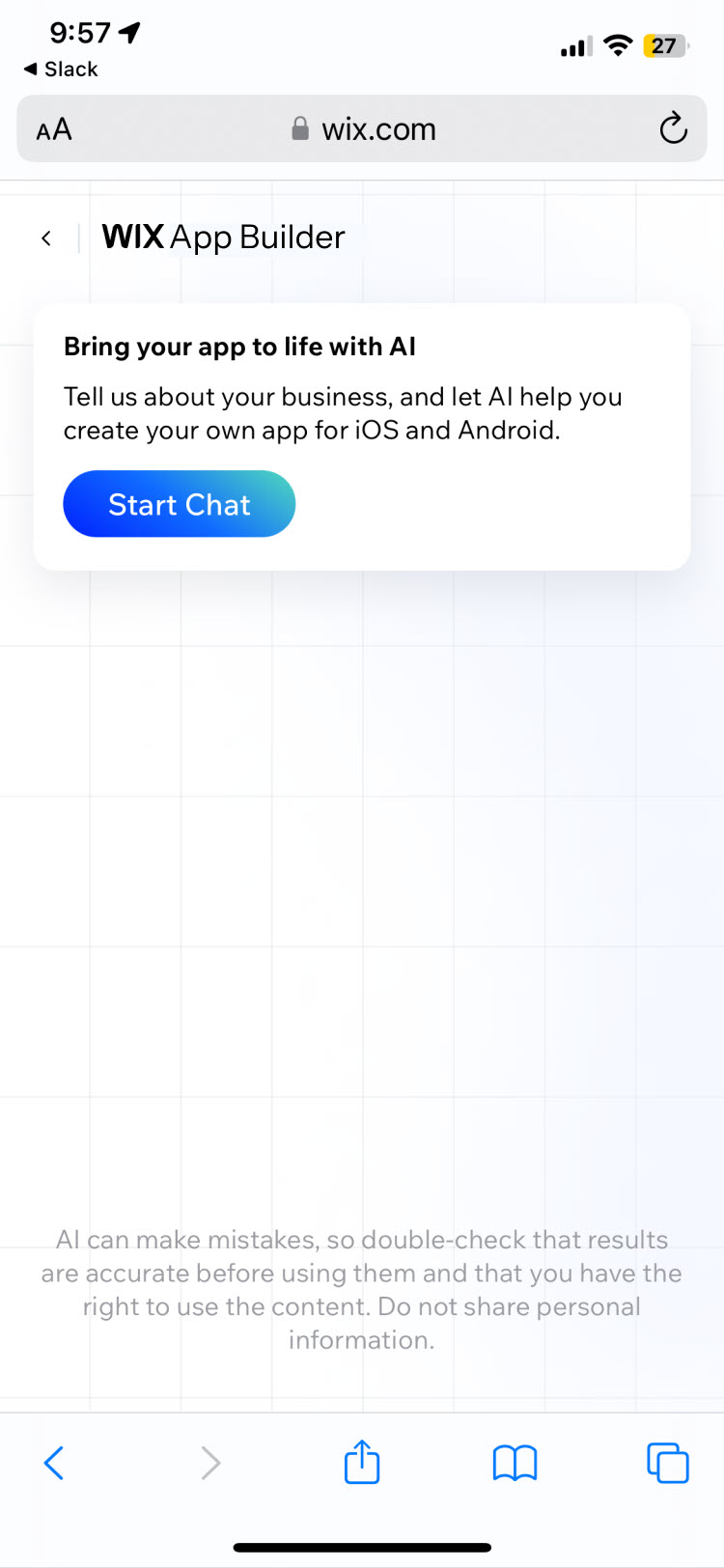
Walkthrough 1 / 5
Mobile screen titled 'WIX App Builder' with a card reading 'Bring your app to life with AI' and a Start Chat button.

SLIDE 1 · INTRO

Setting the stage

The goal was to clearly communicate the value proposition — effortless app creation — while maintaining Wix's signature approachable brand voice.

The copy encourages engagement by highlighting the ease of the process and emphasizing the user's ownership of the final product.

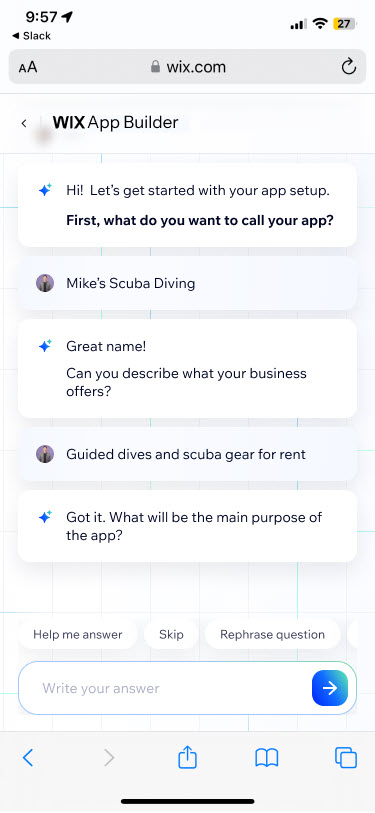
Chat-style onboarding flow: assistant asks for the app name, user replies 'Mike's Scuba Diving', assistant says 'Great name!' and asks what the business offers.

SLIDE 2 · ONBOARDING

A conversation, not a form

Users are guided through a series of concise questions designed to gather key information about their app. The conversational tone ("Hi!", "Great name!", "Got it.") creates a friendly, encouraging atmosphere — and user responses stay clearly visible for easy review and edits.

Helper actions like Help me answer, Skip, and Rephrase question keep the flow forgiving for users who get stuck.

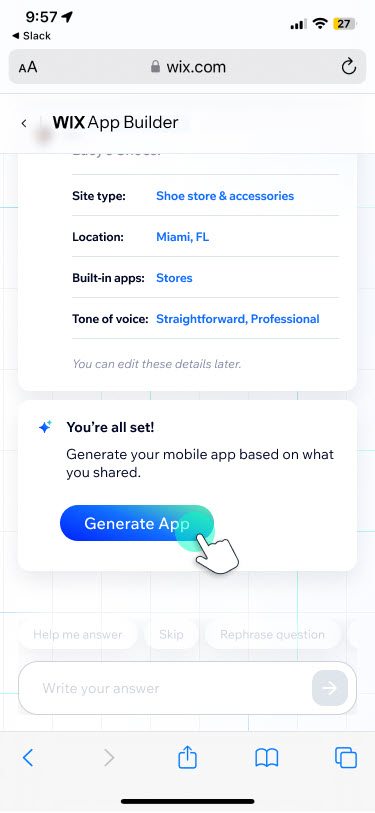
Summary card listing site type, location, built-in apps, and tone of voice, followed by 'You're all set!' and a Generate App button.

SLIDE 3 · FUNNEL COMPLETION

Earning the click

Having gathered the user's preferences, the interface transitions to the app generation stage. The microcopy reassures the user ("You're all set!") and clearly communicates the next step with a prominent Generate App call to action.

A small note —"You can edit these details later" — lowers the perceived stakes of committing to the generated result.

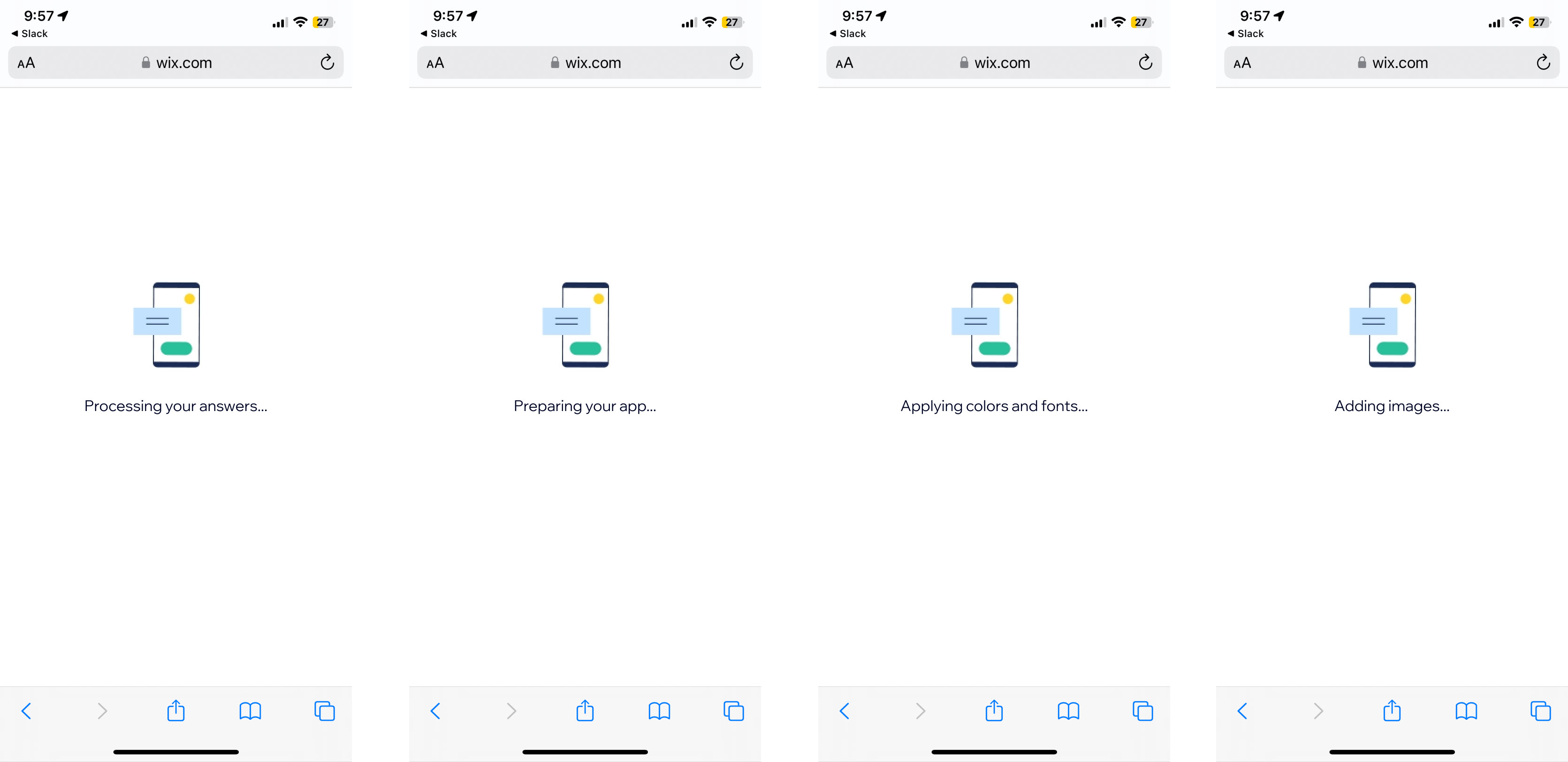
Four sequential loader screens reading 'Processing your answers...', 'Preparing your app...', 'Applying colors and fonts...', 'Adding images...'

SLIDE 4 · LOADER MICROCOPY

Making the wait part of the magic

Instead of a generic loading animation, the microcopy provides specific, step-by-step updates on the AI's progress — "Processing your answers," "Designing your app." The active voice reinforces that the system is working, while the concise phrasing keeps anxiety low during the wait.

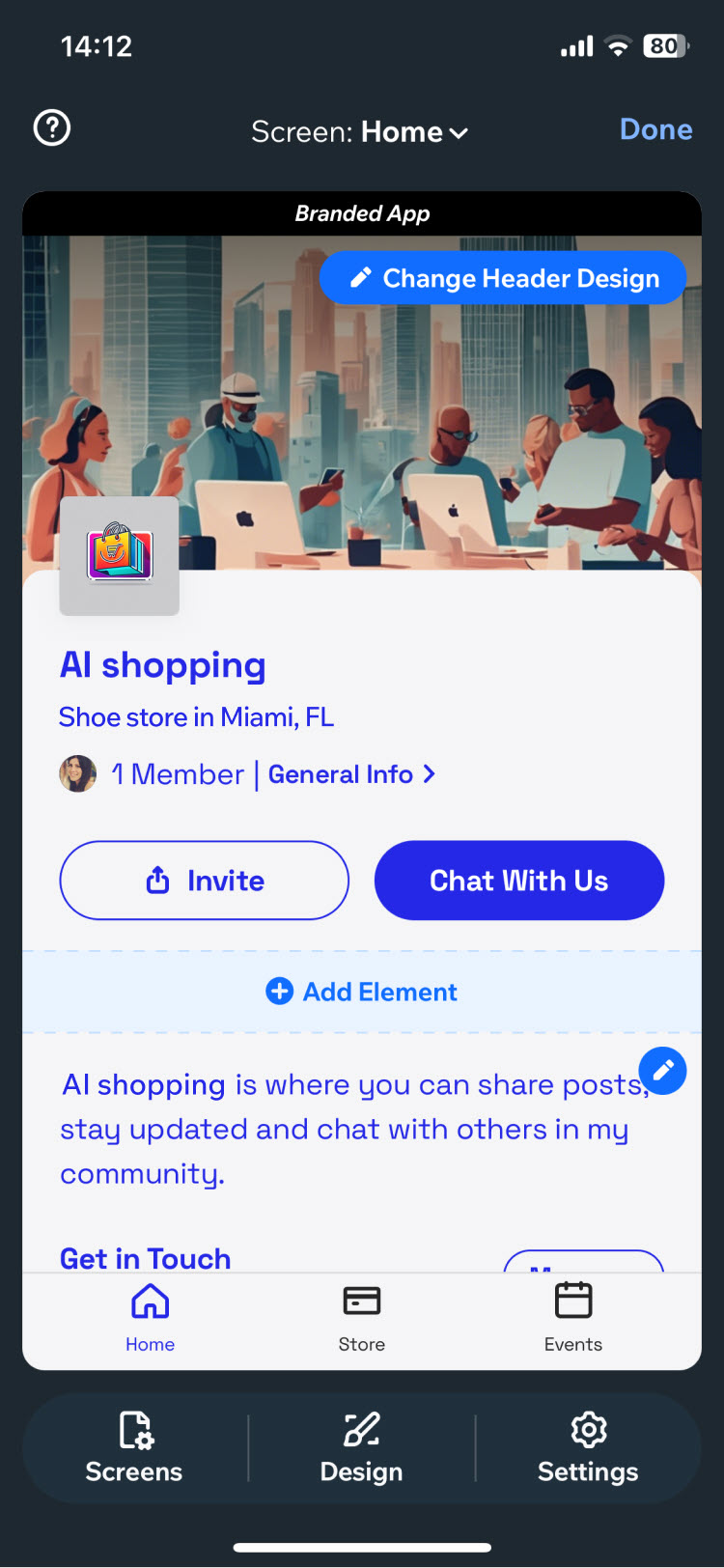
Generated app preview titled 'AI shopping — Shoe store in Miami, FL' with Invite and Chat With Us buttons, plus a Change Header Design prompt.

SLIDE 5 · POST-GENERATION EDITING

From generated to owned

The user is presented with a polished, functional app, ready for further customization. Clear calls to action like Change Header Design encourage immediate engagement with the editing tools — balancing visual appeal with prompts that guide users toward refining and publishing their app.