⬅ Back to Wix projects

WIX · UX WRITER · 2023

Certificates

UX writing for Wix Certificates (released June 2023) — a feature within the Online Programs platform that helps creators design and distribute professional certificates for their courses.

My responsibility was to craft clear, concise copy that helps users understand the value and purpose of certificates within their program, while staying consistent with Wix's voice. That meant writing microcopy for feature introductions, template selection, customization options, and the final review — and then carrying that voice across desktop and mobile.

Challenges

  • Balancing instructional clarity with brevity, so the interface stays intuitive instead of overwhelming.
  • Maintaining a consistent voice across every touchpoint — desktop builder, mobile app, completion celebration.
  • Anticipating user pain points (like users uploading non-transparent images) before they happen.
  • Keeping the language informative and encouraging — every screen is a small motivator.
Walkthrough 1 / 8
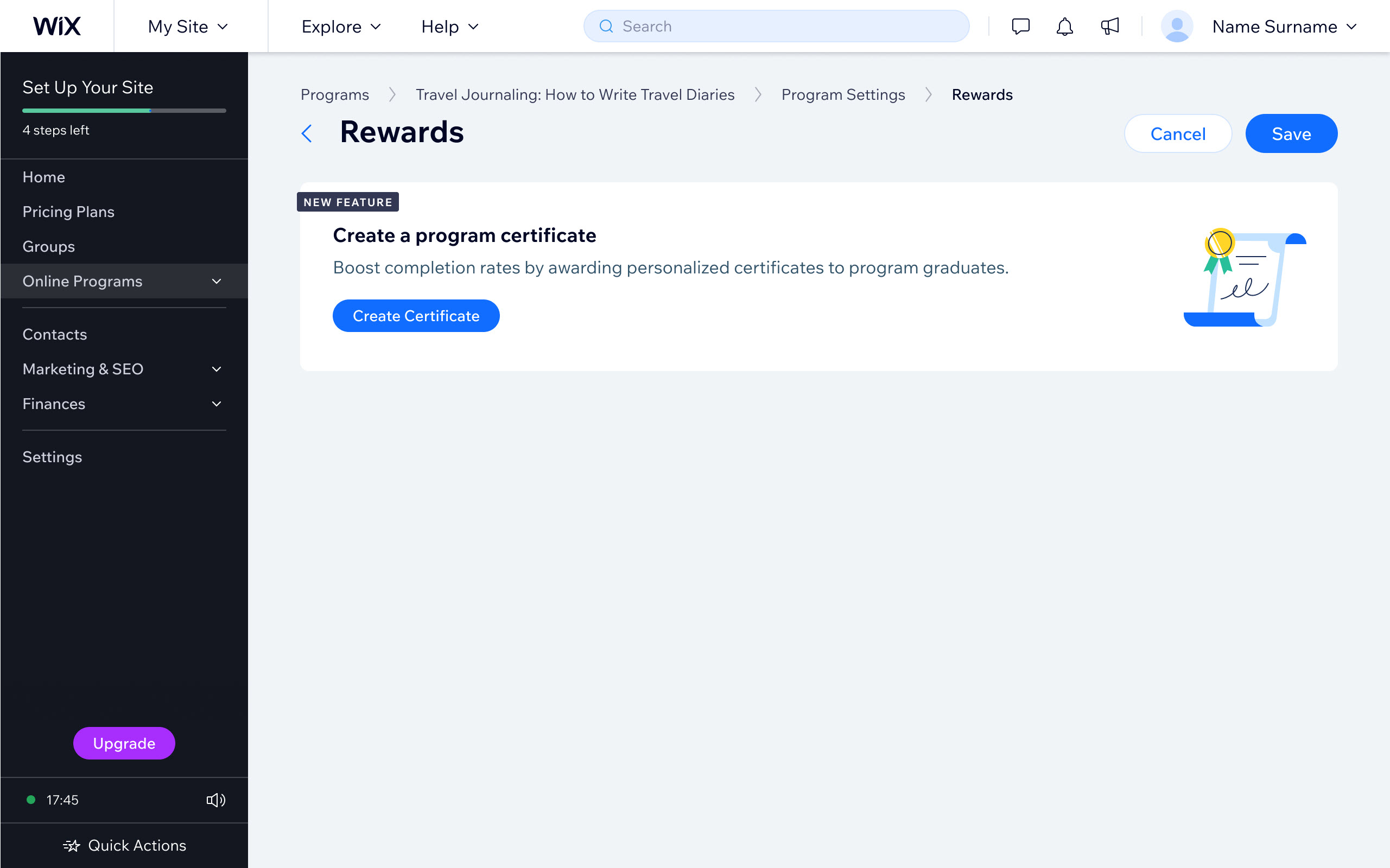
Wix dashboard Rewards screen with a 'NEW FEATURE' card titled 'Create a program certificate' and a Create Certificate button.

SLIDE 1 · ENTRY POINT

A first encounter that explains itself

The Rewards screen is where most creators meet the Certificate feature for the first time. My job was to introduce it without a tutorial — the microcopy names the benefit (boosting completion rates) and points to the action with one CTA. The icon and the prominent button do the rest.

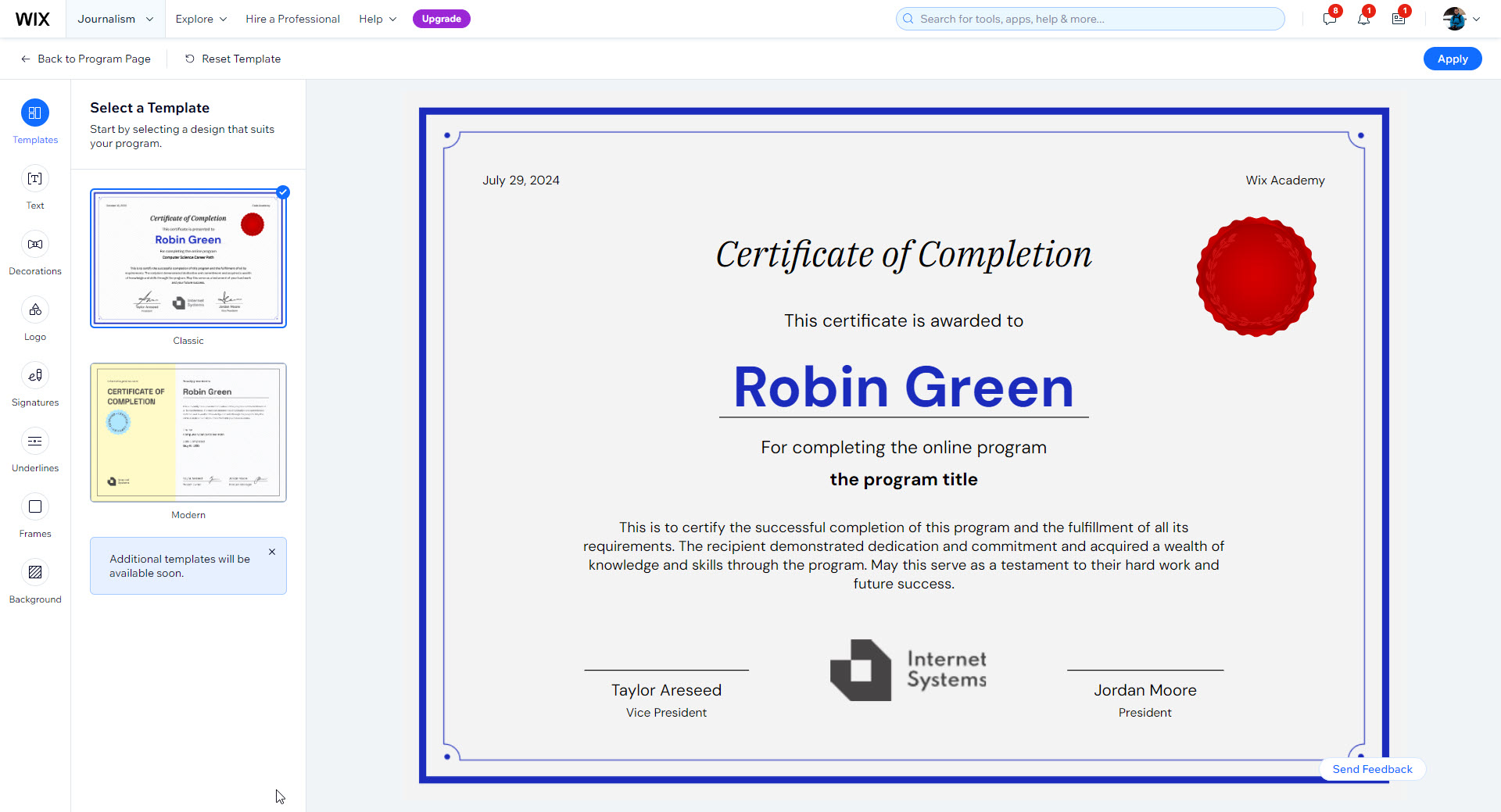
Wix certificate builder with a template selector on the left and a live certificate preview on the right awarded to 'Robin Green'.

SLIDE 2 · INCLUSIVE DESIGN

Designing — and writing — for everyone

The builder lets creators pick a template and preview the certificate with pre-filled information. I wrote the instructional content on the sidebar, plus the example text on the certificate itself — carefully gender-neutral and inspirational, so creators see what's possible without feeling boxed in.

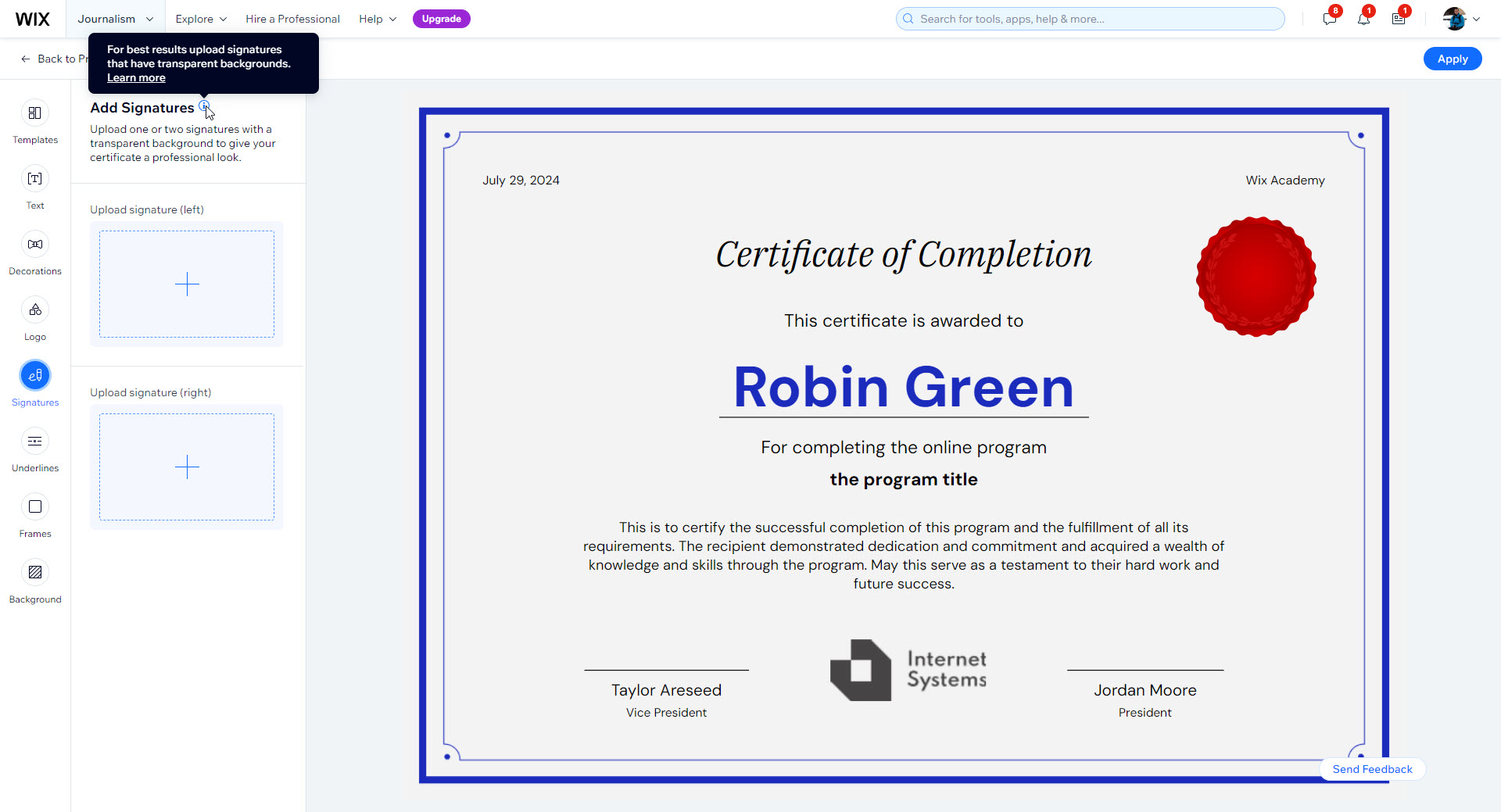
Add Signatures step of the certificate builder with an instructional tooltip reading 'For best results upload signatures that have transparent backgrounds. Learn more.'

SLIDE 3 · INSTRUCTIONS & TOOLTIPS

Heading off a pain point before it happens

I anticipated that users would upload non-transparent signatures and end up with awkward-looking certificates. So I wrote a short tooltip — "For best results upload signatures that have transparent backgrounds" — that surfaces the requirement at the right moment without lecturing.

Proactive microcopy like this prevents frustration and lets users keep exploring with confidence.

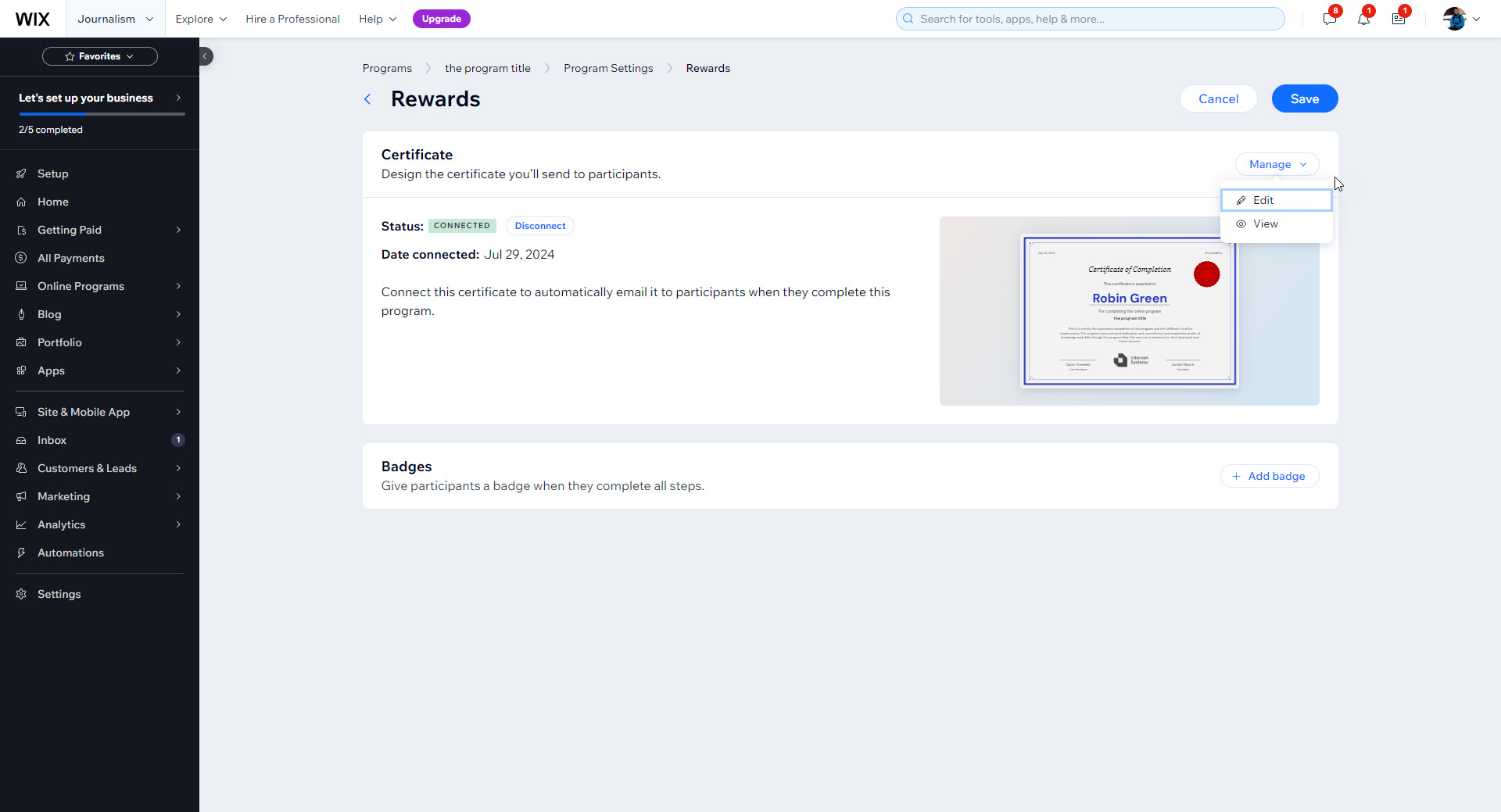
Program Settings Rewards page showing the certificate is Connected, with a thumbnail preview and a Manage menu offering Edit and View.

SLIDE 4 · CONNECTED CERTIFICATE

From draft to delivered

Once a certificate is designed, this is where the creator lands. The microcopy explains the connection in one line — "Connect this certificate to automatically email it to participants when they complete this program" — then surfaces preview, edit, and disconnect actions for fast follow-ups. A small moment of accomplishment with a clear next step.

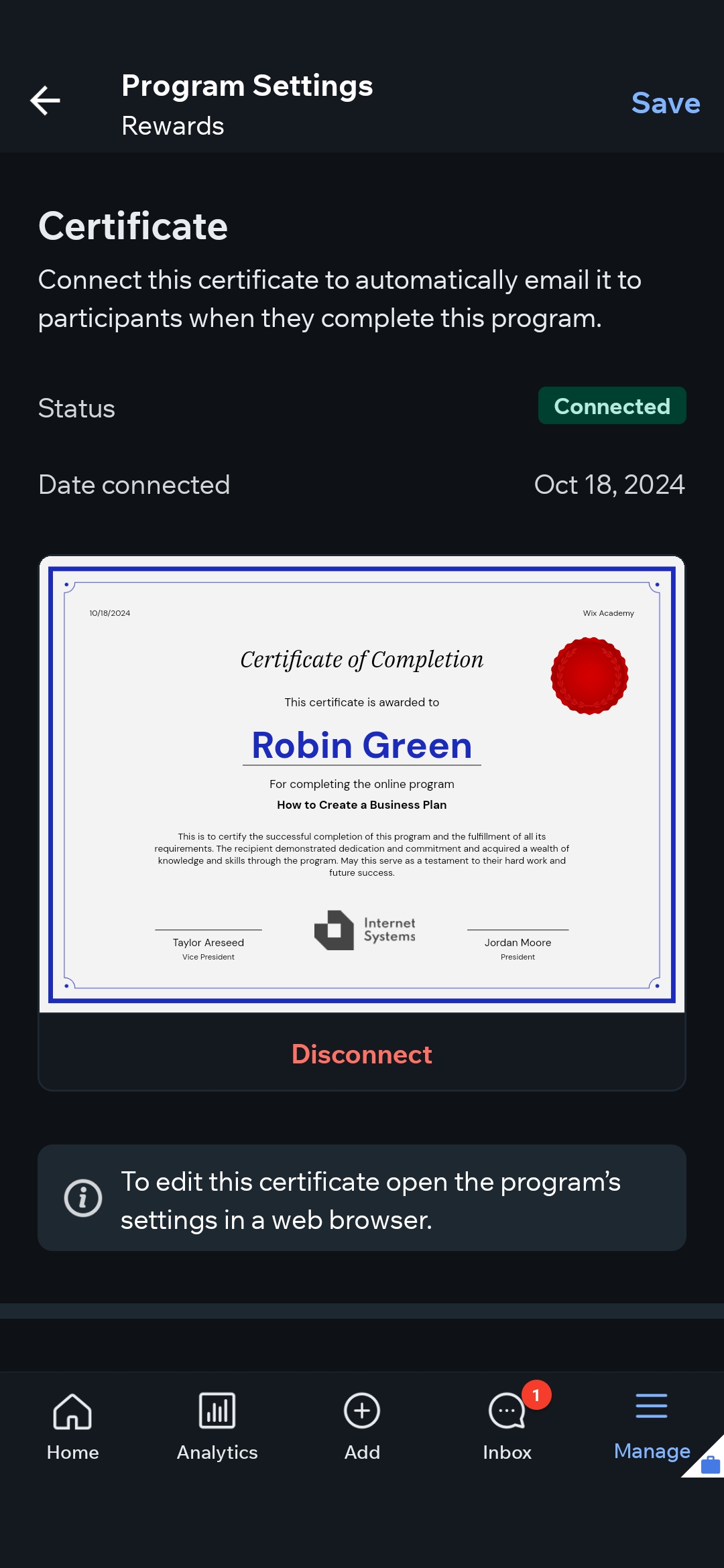
Wix mobile app showing the Program Settings Rewards screen with a connected certificate preview and a note that editing the certificate requires a web browser.

SLIDE 5 · MANAGING ON MOBILE

Honest about where each task lives

Creators can manage certificates from the Wix mobile app even though designing them happens on desktop. Rather than half-implement editing here, the copy is upfront — "To edit this certificate open the program's settings in a web browser" — so people aren't left wondering where the controls went.

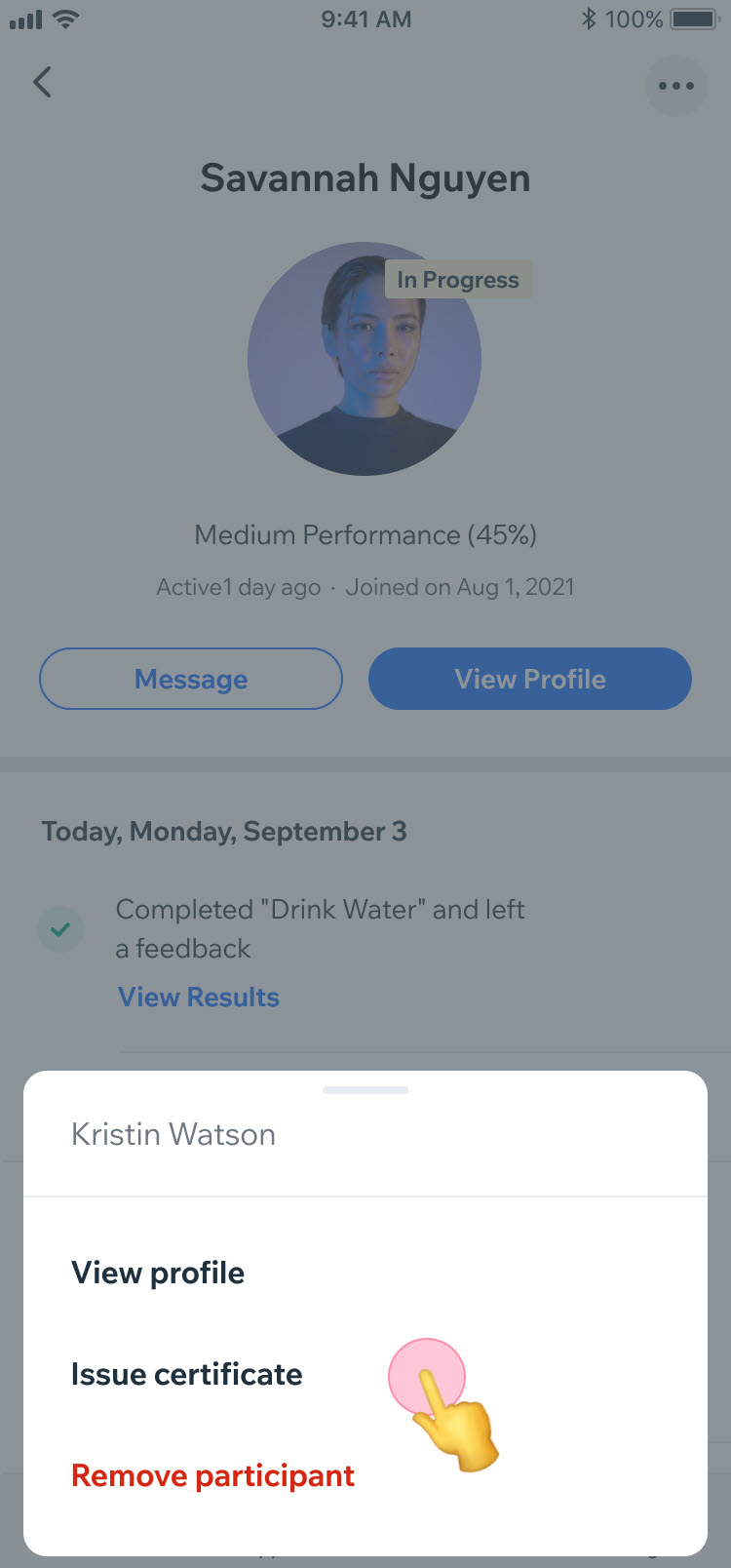
Wix mobile participant profile with a bottom-sheet menu offering View profile, Issue certificate, and Remove participant.

SLIDE 6 · MANUAL ISSUING

Granular control, even on the go

Instructors can manually issue a certificate to a participant — even one who hasn't finished every step — directly from the mobile app. The bottom-sheet labels are sparse on purpose: View profile, Issue certificate, Remove participant. Each one is a verb, each one is unambiguous.

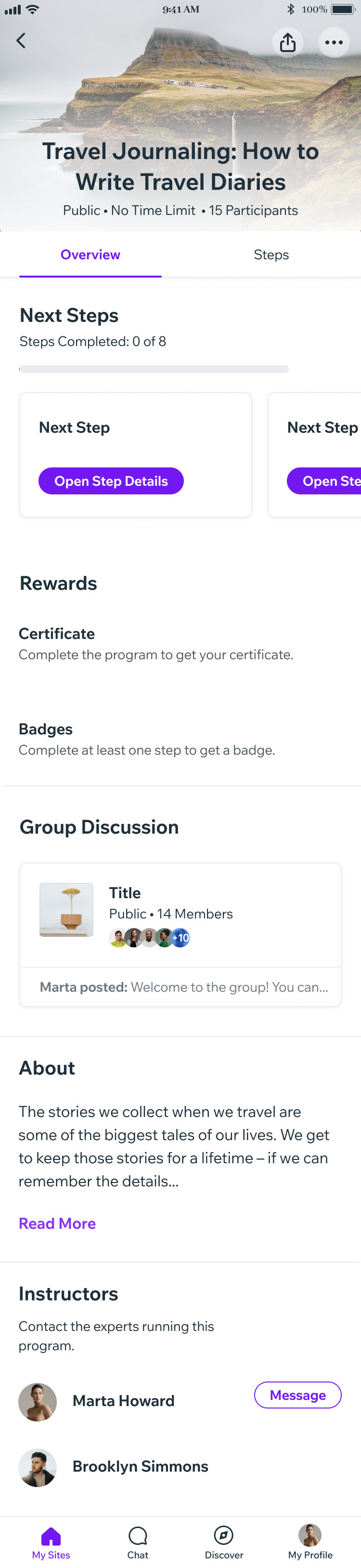
Wix mobile program overview screen showing a Rewards section with 'Certificate — Complete the program to get your certificate.'

SLIDE 7 · EARNING ON MOBILE

A reward worth chasing

For participants, the certificate shows up as a Reward inside the program overview. The microcopy is short and motivating — "Complete the program to get your certificate" — making the finish line visible from day one. Tiny copy, meaningful nudge.

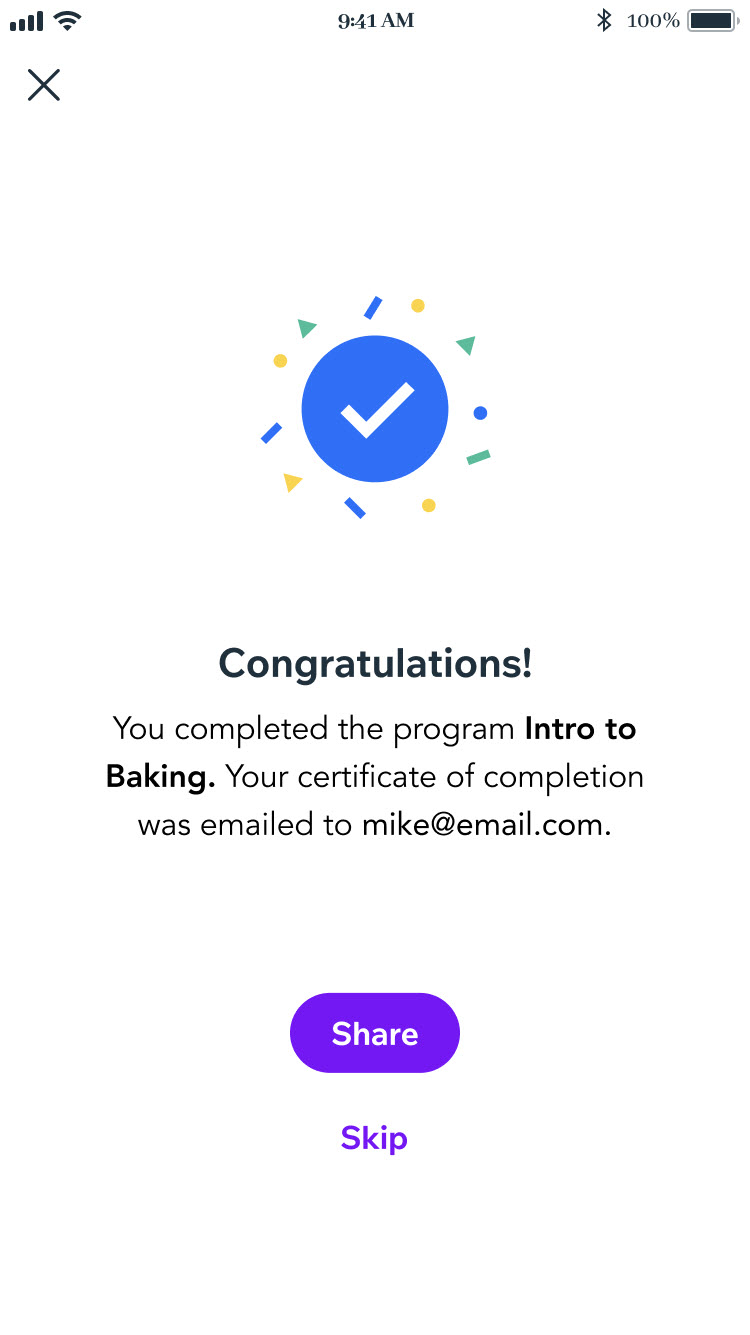
Celebration screen with a large checkmark, the headline 'Congratulations!', a confirmation that the certificate was emailed, and Share and Skip buttons.

SLIDE 8 · CELEBRATING COMPLETION

Earning the moment, and the email

When a participant finishes a program, this screen handles two jobs at once: it celebrates ("Congratulations!") and it heads off the inevitable "Where's my certificate?" worry by stating exactly where it was sent. A Share button gives the win a victory lap.